
MyTunes : AI Music Generator
HubXEntertainment
4.35.13K Reviews
- Version
- 2.4.9
- Installs
- 5.00M
- Age Rating
- Teen
Screenshots
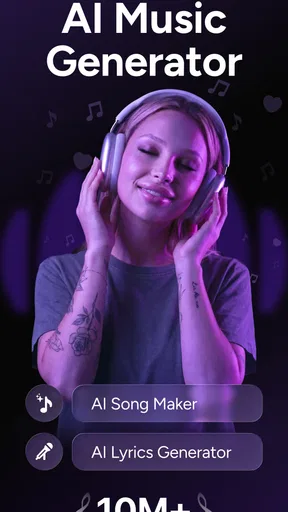
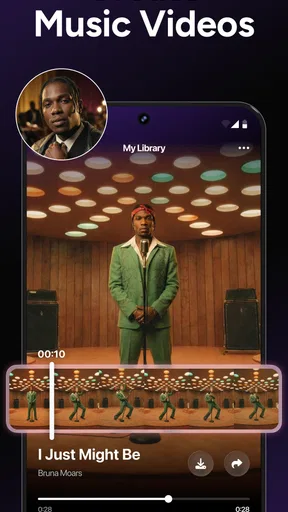
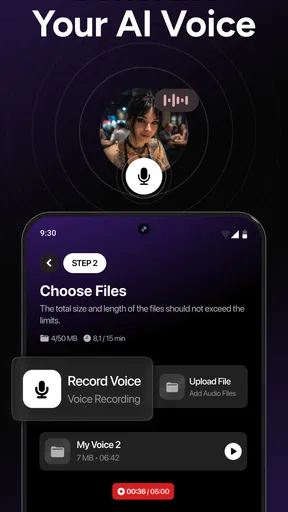
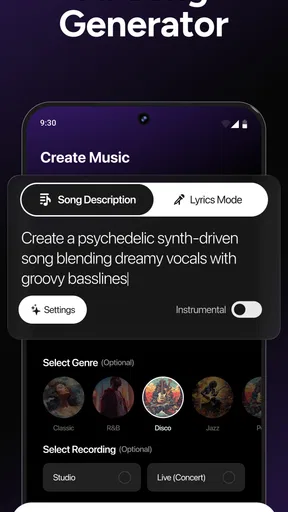
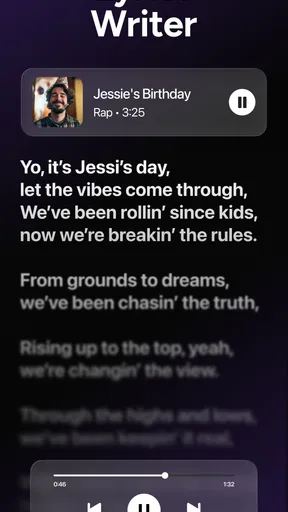
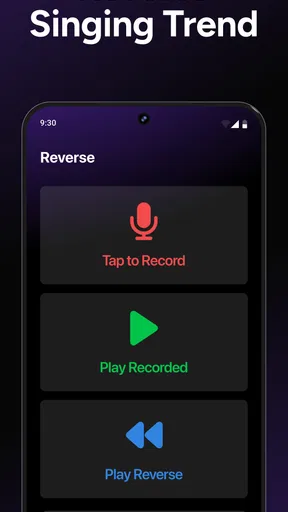
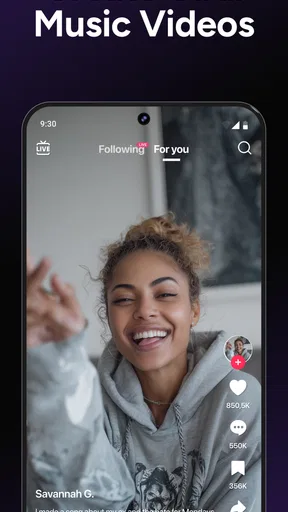
Our Review of MyTunes : AI Music Generator
 Analysis by Appyee
When I’m choosing an app that makes music with AI, I want to know how much of the experience depends on a steady connection. With MyTunes: AI Music Generator, that matters because the appeal is creating fresh tracks around an idea, mood, or voice, rather than simply opening a familiar library and pressing play. I’d treat it as a creative entertainment tool for trying musical directions, not as a guaranteed replacement for a streaming service or a finished production studio.
What a connection changes
The most important distinction is between listening to music that is already available and asking an app to create something new. In a generator, the moment of making a track is the part most likely to depend on connectivity, so I’d plan to explore ideas when I have a reliable network rather than assume a prompt will work anywhere. A weak signal can turn a quick experiment into a wait, which is especially frustrating if you are trying to capture an idea before it disappears.
I would also separate the creation step from any later listening or sharing. A track appearing in the app does not automatically mean every next action works without a connection. Before a commute or trip, check what the app itself makes available to you and whether the particular item you want is ready to use. That simple check is more useful than assuming “music app” means the same offline behavior as a downloaded album.
Best suited to short creative sessions
I see the clearest use for MyTunes in brief, low-pressure sessions: testing a vocal idea, making a playful track for a friend, or exploring how a familiar musical mood might sound in another style. It is a better fit for curiosity and personal entertainment than for someone who needs predictable background playback all day. If you mainly want to press play on an established catalog while walking, a conventional streaming app is likely to be simpler.
A realistic use would be making a few versions of a birthday-song idea while at home, then choosing the one that feels most fun to share. I’d do the experimentation on Wi-Fi, listen back carefully, and save or share only after checking what the app offers for that track. This avoids burning through mobile data on repeated attempts and gives you room to revise your prompt instead of settling for the first result.
Keeping mobile use manageable
On a phone, convenience can encourage lots of quick retries: change a word, try another voice, and ask for a different musical feel. Those small actions can add up, so I’d approach them as a limited creative session rather than leave the generator running casually in the background. If you are on cellular data, start with a concise idea and make one deliberate change at a time. That makes it easier to understand which instruction actually improved the result.
For travel, I would prepare before leaving rather than count on being able to create on a train, in a crowded venue, or in a place with patchy reception. A useful habit is to test the exact workflow you need while connected: create the track, confirm it is accessible afterward, and see whether sharing requires another online step. This is not just about avoiding delays; it helps prevent the awkward moment of promising someone a song and discovering that the final step cannot be completed where you are.
When a generation disappoints
AI output can be unpredictable, and that is part of the trade-off. A result may capture the broad mood but miss the detail you had in mind. Rather than repeatedly submitting the same vague request, I’d make the next prompt more specific about the part that matters most, such as the intended energy or vocal character. Then change only one aspect at a time. It is a more informative way to experiment and can spare both time and unnecessary network use.
If a generation stalls, I would first check whether the connection is stable and whether the app is still responsive before starting over. Repeating an action immediately can create duplicate attempts or make it unclear which result is current. Give the screen a moment, then retry once if needed. For a time-sensitive idea, jot down the prompt outside the app so a brief interruption does not make you reconstruct it from memory.
Who should look elsewhere
MyTunes makes the most sense for people who enjoy trying variations and do not mind that a generated song may need several rounds before it feels right. It is less suitable if you need a dependable offline soundtrack, precise control over every musical detail, or a polished, editable production workflow. In those cases, a downloaded music library or a dedicated audio workstation is a more sensible choice. A traditional streaming service also wins when the goal is to find a known song quickly rather than invent a new one.
It is also worth thinking about how you plan to use the result. A funny personal creation and a track intended for a public project have different standards. I would listen for awkward phrasing, inconsistent mood, or elements that do not fit before sharing anything as a finished piece. The generator can be a starting point, but the person using it still has to decide whether the output is actually suitable.
MyTunes is an entertainment app from HubX, and its central idea is using AI to help people make songs and experiment with voices. I find that more appealing as a playful creative process than as a promise of effortless, professional music. The app is free to install, but it also offers in-app purchases priced from $4.99 to $59.99 per item, so I’d check the purchase options in the app before building a routine around features that may cost extra.
It is rated for teens. The app was released on August 12, 2024, and version 2.3.6 requires Android 7.0 or later. Those details make it easier to judge whether an older Android phone is a candidate, but they do not tell you how well it will perform on every device. I’d leave enough time for a first test rather than rely on it immediately before an event or a trip.
Trying MyTunes in everyday use
Ever wondered what it would be like to have a personal DJ who knows exactly what kind of music you’re in the mood for? Enter MyTunes: AI Music Generator, an app that promises to revolutionize how we experience music. I’ve had the pleasure of diving deep into this app, and let me tell you, it’s like having a musical genie in your pocket.
First Impressions: Getting Started
Setting up MyTunes was a breeze. After a quick download and install, the app greeted me with a sleek and intuitive interface. It’s designed for people of all tech levels, so whether you’re a tech-savvy millennial or someone who still misses the days of cassettes, you’ll feel right at home.
The app kicks off by asking about your musical preferences. You can select from a variety of genres, moods, and even specific instruments. It’s like telling your new best friend all about your favorite records over coffee. Once you’ve shared your tastes, MyTunes gets to work, using its AI magic to craft playlists that feel surprisingly personal.
The AI Magic: How It Works
So, how does the app actually generate music? MyTunes leverages advanced AI algorithms that analyze your inputs and compare them with a vast database of music. The AI learns from your choices, continuously evolving to match your ever-changing musical tastes. It’s like Spotify’s Discover Weekly on steroids.
One of the standout features is the ability to create music based on your current mood. Feeling a bit down? The app will whip up a playlist full of soothing melodies to lift your spirits. Need something upbeat to energize your workout? MyTunes has got you covered with its high-energy tracks.
Exploring the Features
Beyond its core functionality, MyTunes offers some neat extras. For instance, I stumbled upon the "Remix" feature, which lets you tweak generated tracks. You can adjust tempo, add new instruments, or even blend different genres. It’s like having a mini music studio at your fingertips.
The app also supports offline downloads, which is a lifesaver for long flights or those moments when you’re off the grid. Plus, if you’re someone who loves sharing your musical discoveries, MyTunes makes it easy to share your playlists with friends or on social media.
Sound Quality and Performance
One of my biggest concerns with music apps is sound quality. I’m happy to report that MyTunes delivers crystal-clear audio. The tracks are high-quality, and there’s no noticeable lag or buffering, even when streaming over cellular data. It’s all smooth sailing, which makes for an uninterrupted listening experience.
Performance-wise, the app runs like a charm. I didn’t experience any crashes or glitches, and its battery consumption is minimal. So, you can keep the tunes flowing without worrying about your phone dying halfway through the day.
Is It Worth It?
By now, you’re probably wondering if MyTunes is worth the download. In short, absolutely. Whether you’re a hardcore music lover or someone who just wants a fresh soundtrack for their daily routine, this app has something for everyone.
The ability to generate personalized music that adapts to your mood or activity is a game-changer. Plus, the added features like the Remix tool and offline playback make it versatile and user-friendly.
Sure, there are other music apps out there, but few offer the level of customization and AI-driven insights that MyTunes does. It’s like having a personal music assistant who knows you better than you know yourself.
So, if you’re ready to change the way you experience music, give MyTunes a try. It’s more than just an app; it’s a whole new world of sound waiting to be explored.
A practical final check
MyTunes has a sizeable audience, with over a million installs, but its average rating is 3.1 from around 138,000 ratings, alongside roughly 4,600 written reviews. I read that as a reason to approach it with realistic expectations: the concept will appeal to people who like AI-assisted music play, while variable results and the details of paid options may matter to others. It is not a substitute for deciding whether the songs it creates suit your own needs.
My recommendation is to try it when you have a stable connection and a little time to experiment, then judge the results yourself before relying on it for a particular occasion. If you want a quick creative prompt, an amusing custom song, or a way to explore different musical directions, it can be enjoyable. If consistency, offline access, or detailed production control is the priority, I’d choose a tool built around that need instead.
Verdict
Strengths of MyTunes : AI Music Generator
- Generates unique tracks with AI precision.
- User-friendly interface for easy navigation.
- Wide range of genres to explore.
- Customizable track length and style.
- Quick export to multiple formats.
Limitations of MyTunes : AI Music Generator
- Limited free version features.
- Requires internet for full functionality.
- Occasional AI-generated errors.
- Subscription model might be pricey.
- Lacks advanced editing tools.
Other Releases by HubX
View All
Home AI - AI Interior Design
Lifestyle4.3

DaVinci - AI Image Generator
Art & Design3.6

AI Video - AI Video Generator
Photography4.5

Chatbot - AI Smart Assistant
Productivity4.3
Similar Picks in This Category
View All
Google Play Games
Google LLC3.9

Netflix
Netflix, Inc.4.8

YouTube Kids
Google LLC4.2

Disney+
Disney4.4

Prime Video
Amazon Mobile LLC4.7

Steam
Valve Corporation3.2
Frequently Asked Questions
What is MyTunes: AI Music Generator?
MyTunes: AI Music Generator is an innovative app designed to help users create unique music tracks using artificial intelligence. Whether you're a budding musician or just looking to explore new sounds, MyTunes offers a user-friendly interface to compose and customize music effortlessly. The app provides a range of genres and instruments, making it accessible for users with varying levels of musical experience.
How does the AI music generation work in MyTunes?
The AI in MyTunes analyzes user preferences and inputs to generate music tracks that match the desired style and mood. By utilizing advanced algorithms, the app can produce melodies, harmonies, and rhythms that are both unique and musically coherent. Users can tweak settings to influence the outcome, ensuring personalized and creative results each time.
Is MyTunes suitable for beginners with no musical background?
Absolutely! MyTunes is designed with beginners in mind, offering an intuitive interface that requires no prior musical knowledge. The app provides helpful tutorials and guides to get users started, while the AI handles the technical aspects of music creation. This makes it easy for anyone to dive into music production and enjoy the creative process.
What features does MyTunes offer to enhance music creation?
MyTunes offers a wide range of features to enhance the music creation experience. Users can choose from various genres, instruments, and effects to customize their tracks. The app also includes editing tools for fine-tuning compositions and a library of pre-made loops and samples for inspiration. Additionally, users can export their creations in high-quality audio formats.
Are there any in-app purchases or subscription plans in MyTunes?
Yes, MyTunes offers in-app purchases and subscription plans to unlock premium features. While the basic version of the app provides a solid foundation for music creation, subscribing to a premium plan unlocks additional instruments, effects, and advanced editing tools. Users can choose a plan that best fits their needs and budget.
